TIMESHEETS
Log it once, lock it in
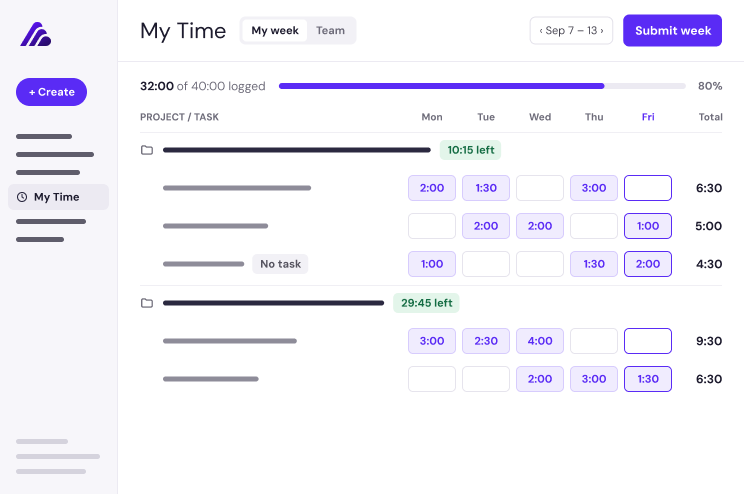
Log hours against any task, or against the project when the work has no task. A week of entries becomes a timesheet, and submitting locks the totals so reporting stops moving.
TIME TRACKING
Track hours against tasks. See effort next to duration. Find the gaps that quietly stretch a four-week project to twelve.
Every project has a schedule. Time tracking captures the effort behind it, so scoping, staffing, and pricing are based on what actually happened, not what was assumed.
Know where capacity is going across every active onboarding before the next headcount request.
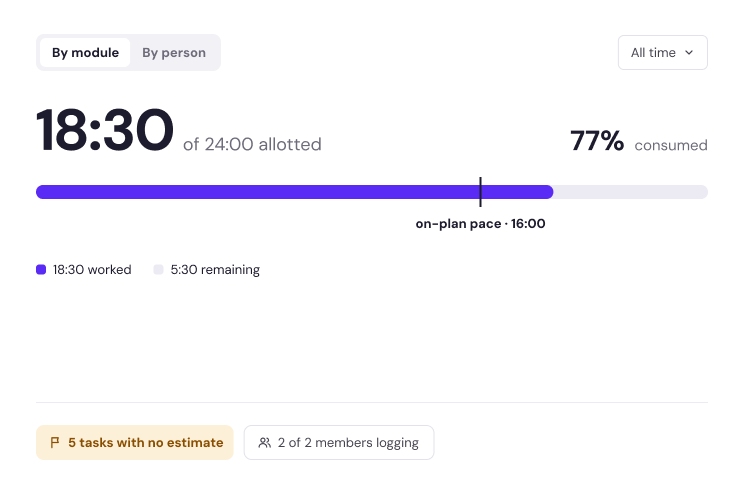
Compare planned time to logged time, then scope and staff the next project on real numbers.
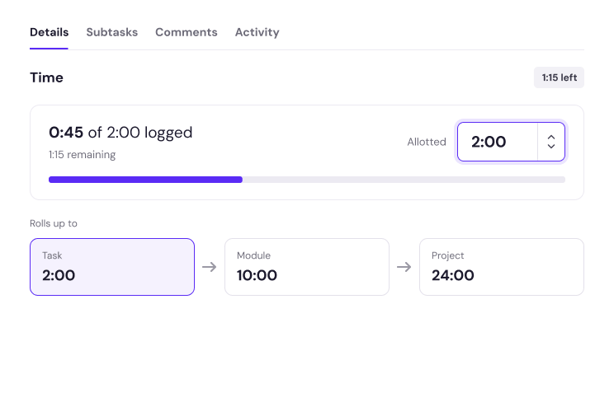
See the hours behind every go-live, rolled up to the task, the project, and the customer account.
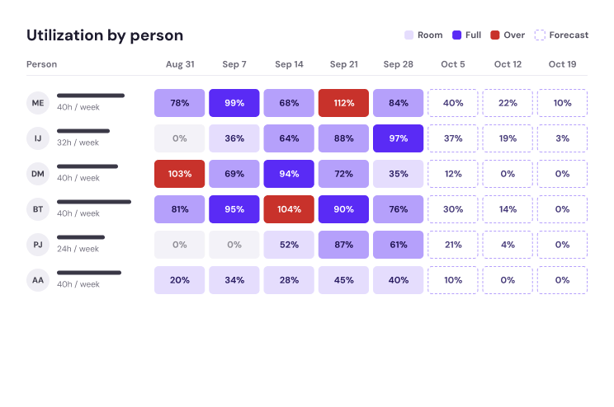
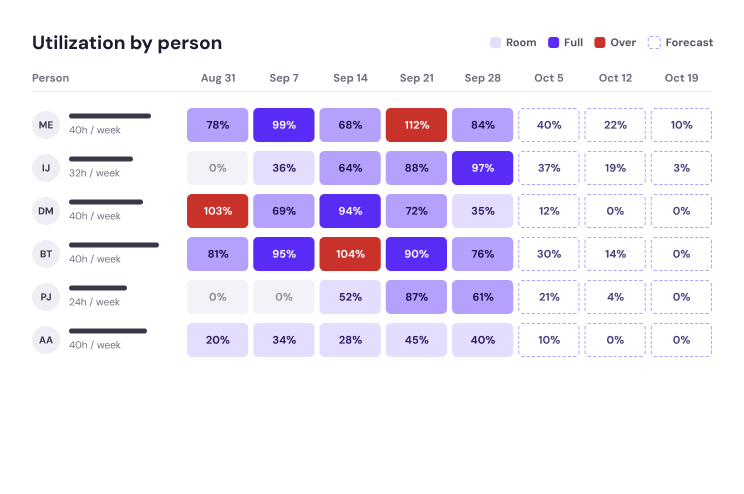
Track hours by person across every active project, so workload and coverage are visible before the crunch, not after it.
Roll hours up to the customer account to see what delivery actually takes and where time is quietly piling up.
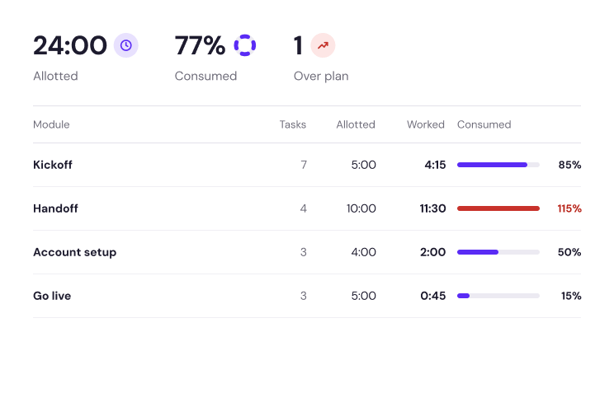
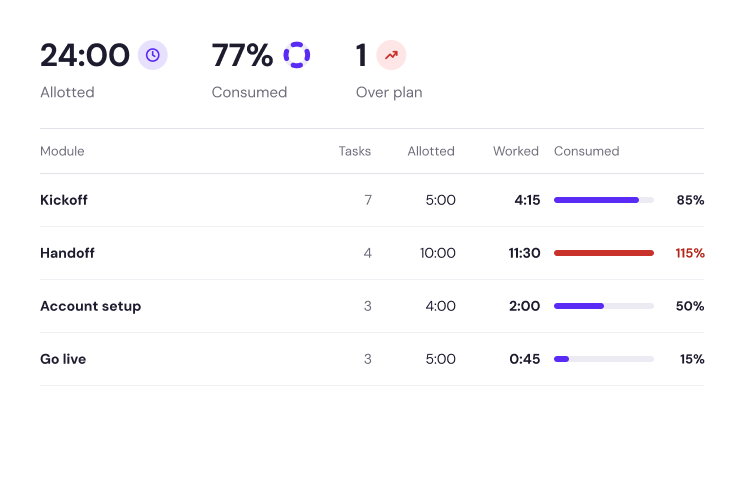
Set allotted time on tasks, then measure logged hours against the plan to catch scope creep while the project can still change.
Track hours by person across every active project, so workload and coverage are visible before the crunch, not after it.
Roll hours up to the customer account to see what delivery actually takes and where time is quietly piling up.
Set allotted time on tasks, then measure logged hours against the plan to catch scope creep while the project can still change.
TIMESHEETS
Log hours against any task, or against the project when the work has no task. A week of entries becomes a timesheet, and submitting locks the totals so reporting stops moving.
ALLOTTED TIME
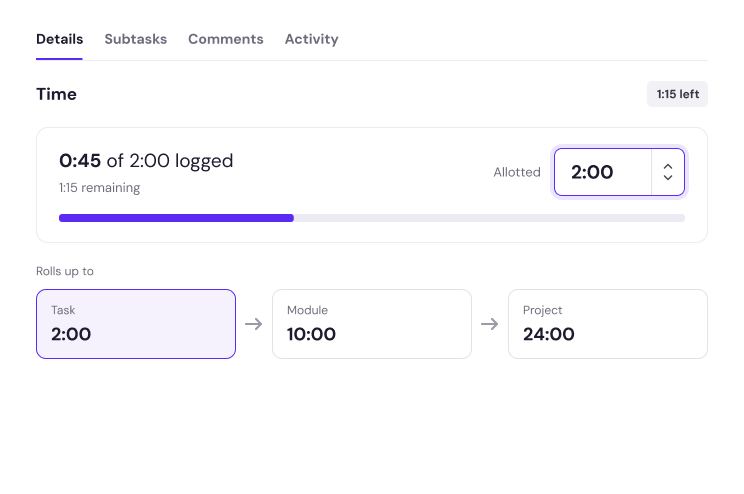
Set estimated time on tasks in playbooks and projects. Every rollup gets a plan to measure against, not just a running total.
TIME TRACKING INSIGHTS
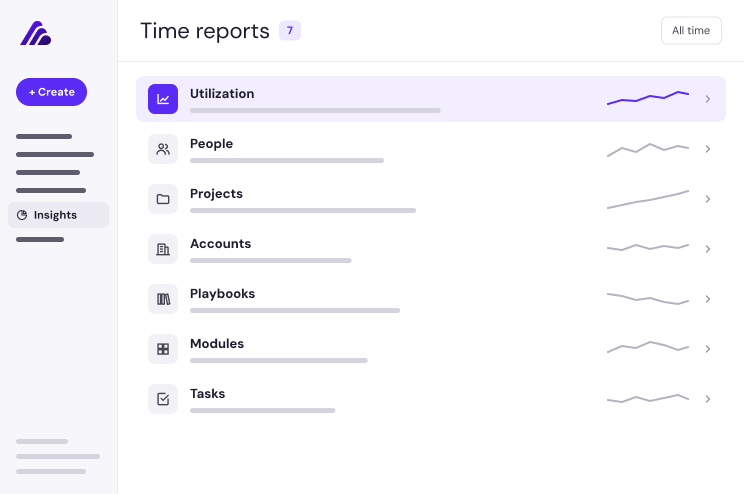
Seven reports read hours across tasks, projects, accounts, playbooks, modules, and people, so the pattern shows up while the project can still change.