September Release: Your data, always current.

This month is about keeping everything aligned. Bi-directional CRM sync moves data both ways, Merge Fields now update as projects change, and Time Tracking captures the effort behind every schedule. Plus, Email Audience Controls let you decide who gets what.

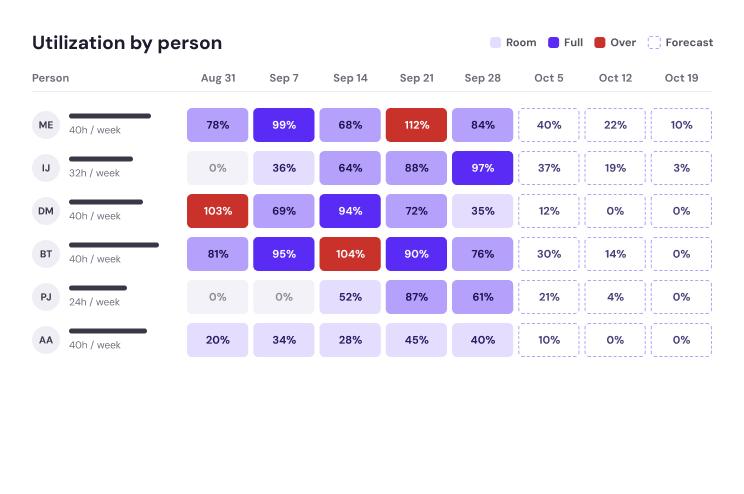
Heatmap by person

Bi-Directional CRM Data (Beta)

One source of truth, in both directions.

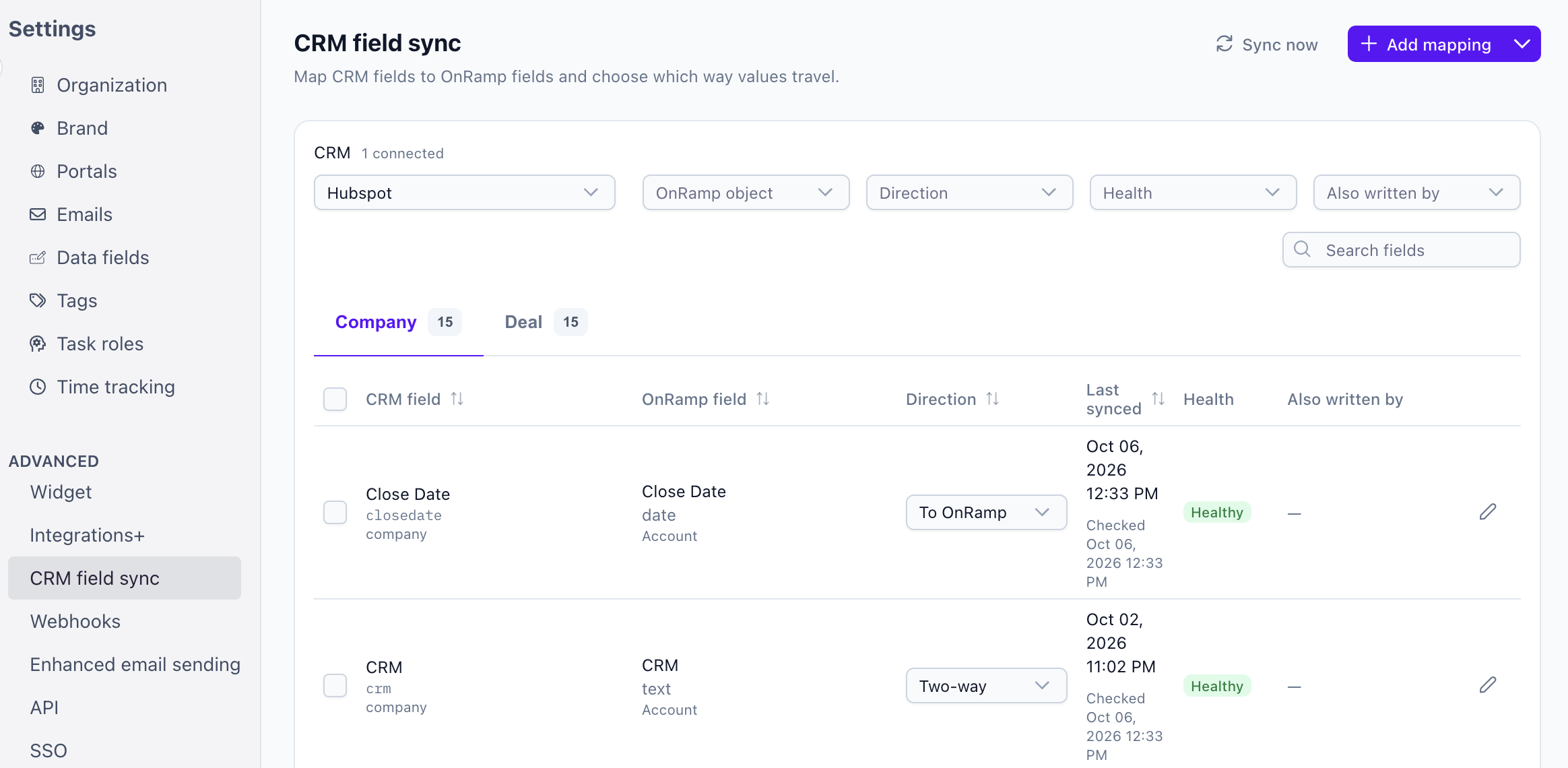
Your CRM data should be as easy to use in OnRamp as it is where it lives. Bi-directional CRM sync lets data flow between your CRM and OnRamp the way your team needs it, configured by your admins.

  • Admin-configured mapping: Choose which fields sync and how.
  • Two-way flow: Updates in OnRamp can write back to your CRM, and CRM changes can flow into OnRamp.

Want to join the Beta? Ask your CSM. Check out our Knowledge Base articles for more information:


Screenshot 2026-10-06 at 12.46.05 PM

Merge Field Updates (Available now)

Data that keeps up with your projects.

Merge Fields used to be locked in at project creation. Now, they're simpler to create and stay up to date.

  • Create them where you work: Add Merge Fields directly in the Playbook, task, or subtask.
  • Use data more effectively: Teams can rely on the information in their projects, not just what was true at kickoff.
  • Pairs with Bi-Directional CRM: Together, they keep project information in sync with your CRM.
Want more information? Check out our Knowledge Base article.

Time Tracking (Available now)

See where the hours really go.

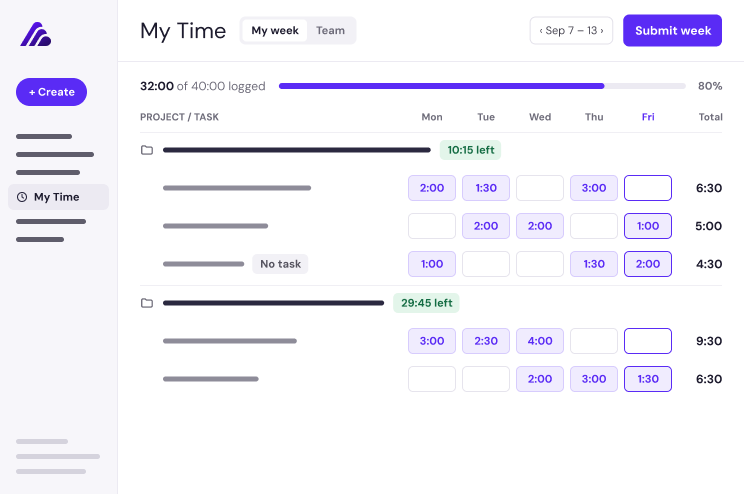
Every project has a schedule. Time tracking captures the effort behind it, so scoping, staffing, and pricing are based on what actually happened.


  • Timesheets: Log it once, lock it in. Log hours against any task, or against the project when the work has no task. A week of entries becomes a timesheet, and submitting locks the totals so reporting stops moving.
  • Allotted Time: Plan the hours, then check the math. Set estimated time on tasks in playbooks and projects. Every rollup gets a plan to measure against, not just a running total.
  • Time Tracking Insights: Seven reports, one picture. Seven reports read hours across tasks, projects, accounts, playbooks, modules, and people, so the pattern shows up while the project can still change.

Want Time Tracking turned on? Ask your CSM. Want more information? Check out our Knowledge Base article.

Group 68179928

Email Audience Controls (Available now)

Send the right emails to the right people.

You now have more control over which teams receive emails. For supported emails, you can customize the audience based on the roles assigned on the project.

  • Customizable audiences: Choose who receives selected emails.
  • Role-based: Audiences follow the roles on each project.

Want more information? Check out our Knowledge Base article.


Coming Soon:

Text Updates on Projects: Stay on top of projects without opening the app. Opt in to SMS notifications, reply to simple task steps right from a text, and jump straight into a project from a message.

MCP: Use Your OnRamp Data in Your AI Ecosystem: Bring OnRamp into the AI tools you already use. Through MCP, customers can access their OnRamp data with their existing permission sets intact.

Aero Builds Your Workflows: Tell Aero what you need in plain language. Aero can build a brand-new workflow from scratch or edit and change your existing ones, so you can build out more of your OnRamp experience faster.

Embed Projects Where Your Customers Work: Meet customers inside your own product.

  • In-app launcher: Shows live onboarding progress and opens the Portal.
  • Timely announcements: Messages pop up on specific pages or when tasks are due.
  • One-click access: Customers go straight into the Portal, already signed in, with no password needed.
  • Branding without code: Set the launcher color, text color, and an icon or the account's favicon, with a live preview.
  • Up next: A full onboarding page inside your customer's application. It shows while a user has onboarding to complete and steps aside when they're done.

Build Customer Journeys in OnRamp: Onboarding Is Only the Beginning: Extend OnRamp beyond onboarding to map the full customer journey.

  • Configure workflow types to match each stage of your journey
  • Use additional workflow conditions
  • Re-run workflows with new data
  • Test a workflow run with a CRM record
  • Map account data fields from workflows